
Steroid_Kit
Steroid Vault›Overview
Steroid Vault — Overview
The Steroid Vault is the credential management layer that keeps your API keys, tokens, and passwords out of ordinary server config files. The client uses an encrypted-file keyring and separate credential elicitation. Required values are sent to cloud execution; agent-built flows also persist encrypted Activepieces App Connections. This is not an unconditional no-model/no-log guarantee.
Impact
| Scenario | Without Vault | With Vault |
|---|---|---|
| Store a GitHub token | Often placed in local server configuration | Encrypted local store with exact server-scoped catalog secret names |
| Rotate a credential | Update every configured integration | Local cache invalidation follows index changes; cloud AP Connections must also be refreshed |
| Share a machine | Protect config and process access | Protect encrypted store, local password material, user account and backups |
| Model exposure | Avoid pasting keys into chat/config snippets | Separate elicitation reduces exposure; user prompts and third-party outputs can still expose sensitive data |
WARNING
Namespaces are lookup boundaries, not isolation from arbitrary same-user processes. Exact cipher/mode guarantees require verification of the installed cryptfile dependency.
How It Works
The Vault replaces the traditional pattern of embedding credentials in the MCP server configuration. Instead of placing secrets in mcp.json, store them in the encrypted keyring under a server-scoped key. The implementation selects CryptFileKeyring, not macOS Keychain or another OS-native store.
Local storage and cloud execution are different boundaries
~/.steroid/cryptfile_pass.cfg       # encrypted credential store
~/.steroid/.cryptfile_key           # locally generated password material
~/.steroid/credentials_index.json   # credential-name inventory, not values

Storage key example:
github-official.secrets.github.personal_access_token

Cloud MCP: required execution credentials are injected into the gateway
Agent-built Flows: encrypted AP Connections persist required values
Flow nodes: {{connections.<externalId>.secret_text}} references
The client resolves the selected server's secrets/config, elicits missing values and injects execution credentials. Agent creation separately upserts AP Connections, so a local edit alone is not proof that every published cloud flow now has the new value. Manual browser-authored pieces expose credential properties and cannot automatically read your local Vault.
- The client caches credentials for 15 minutes by default and clears caches when the credential index changes.
- The password material is generated with 256 bits of random entropy and chmod 600 where supported; do not assume identical platform permission guarantees.
- If persistent keyring setup fails, the client warns and can use a nonpersistent in-memory fallback. Confirm persistence before relying on a saved credential.
- A recoverable backup needs the encrypted store, password material and index; protect those together like plaintext credentials.
Quick Start
Open the Vault TUI with the steroid command and navigate to VAULT.
Open Vault TUI
steroid
# → Navigate to VAULT in the main menu
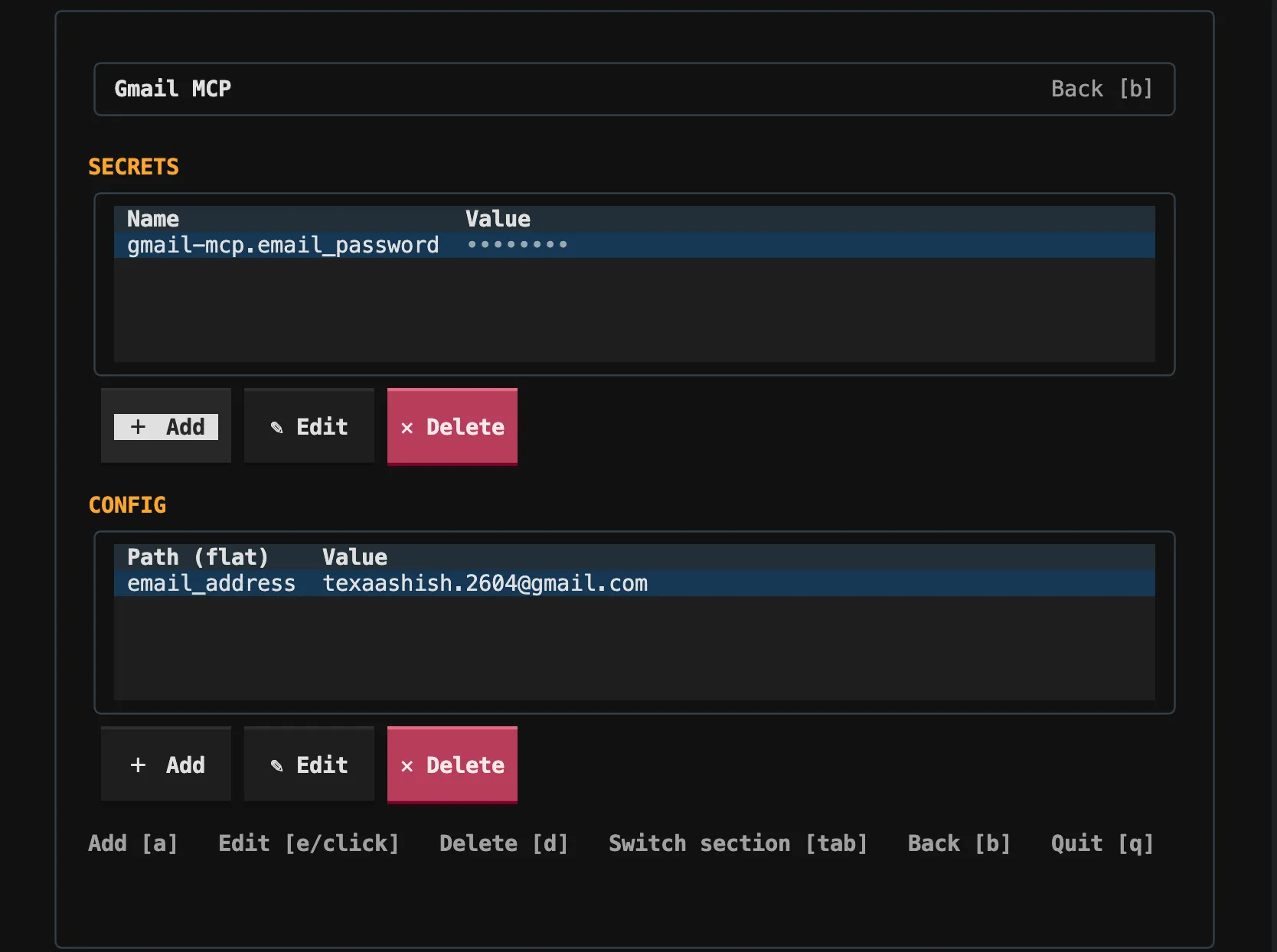
The Vault screen lists all stored secrets by server namespace. Use the arrow keys to navigate, press Enter to open a server's SECRETS/CONFIG tables, A to add,E to edit and D to delete. Tab switches tables.
TIP
The server list comes from the credential index, not the whole catalog. First-use tool/build elicitation creates entries. The TUI manages stored secrets/config; it is not a last-used-date or audit-log viewer.
Continue Reading